
Document ID: 04162018
Purpose
This article describes how to approach cases where the main symptom is an offline vehicle in the app.
Audience
This article is for carrier agents assisting end users who are experiencing issues tracking their vehicle with the app.
Symptoms
- Vehicle shows as "Offline" in the app
- Map not longer displays current location of the vehicle
- If Location services are enabled on the phone, you can see the location of the portable device on the map moving but not the vehicle
Details
- Perform a physical inspection of the device as described in the KB article How to physically inspect a ZTE OBD-II dongle (TS1001) available at: https://mojio.zendesk.com/knowledge/articles/360002580514/en-us?brand_id=2915448
- Make sure the device is able to connect to the carrier's network by following the steps in the KB article Troubleshooting ZTE OBD-II Wi-Fi HotSpot (TS1003) available at: https://mojio.zendesk.com/knowledge/articles/360002581234/en-us?brand_id=2915448
- After confirming all networking features of the device are working, for example HotSpot allows for Internet access, check the last time the device connected to Mojio's platform by using MSS as shown in the following image
- If you notice that the last contact time is not getting updated after confirming the device is connected to the network, please gather as many details as possible and escalate to Mojio support.
- If the last contact time in MSS is current but the App is still not showing the correct status, the issue could related to the App environment. Please check the following:
- What is the last time the app received data from the Mojio platform? Below screenshots for 2.x.x (left) and 3.x.x (right) versions of the apps.
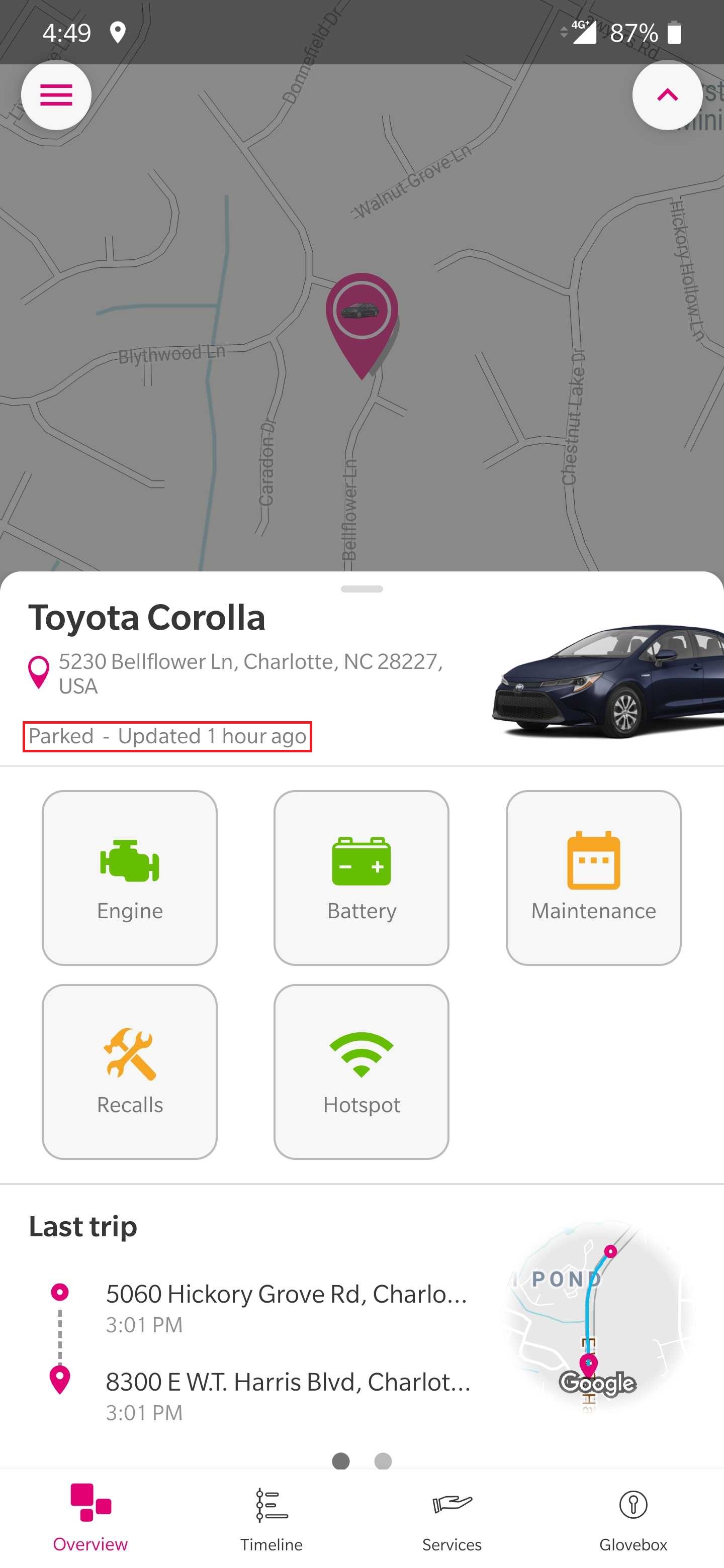
- Are there notifications being received in the App?
- Are notifications from other apps being received in the mobile phone?
- Is the mobile phone connected to the Internet?
If you are still having issues getting the device to show its status in the App, please escalate to Mojio Support and provide as many details as possible
Comments
0 comments
Please sign in to leave a comment.